
Download IconCool Editor – icon editor, icon maker, create icons, edit icons, animated icons, buddy icons, pixel art, Windows, free, download
Overview
IconCool Editor is a feature-rich desktop application designed for creating, editing, and customizing icons on Windows systems. The software caters to both casual users who enjoy personalizing their desktop environments and more advanced users involved in theme development. Its primary purpose is to provide a precise, intuitive platform for pixel-level icon manipulation, making it ideal for designers, developers, and enthusiasts focused on visual customization. By supporting various icon sizes and color depths, the tool helps users ensure their icons render correctly across different display settings and applications.
The app solves common challenges in icon design, such as maintaining image clarity at small resolutions and ensuring visual consistency across multiple frames in animated icons. It is particularly valuable in contexts where high visual fidelity and pixel-perfect accuracy are required, such as in software branding, UI design, or personalizing instant messaging profiles. The developer, IconCool Studio, appears to focus on utility tools that emphasize usability and functionality, though no additional company background was provided.
Real-world use cases include designing custom desktop icons, creating animated cursors, developing buddy icons for instant messaging platforms, and crafting pixel art for retro-themed applications. Within the broader software ecosystem, IconCool Editor fills a niche for lightweight, dedicated icon editing tools that do not require complex workflows or steep learning curves. Its free availability further enhances its accessibility, making it a practical choice for users seeking a reliable solution without financial commitment.
Key Features & Functionality
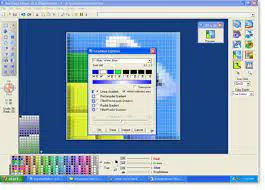
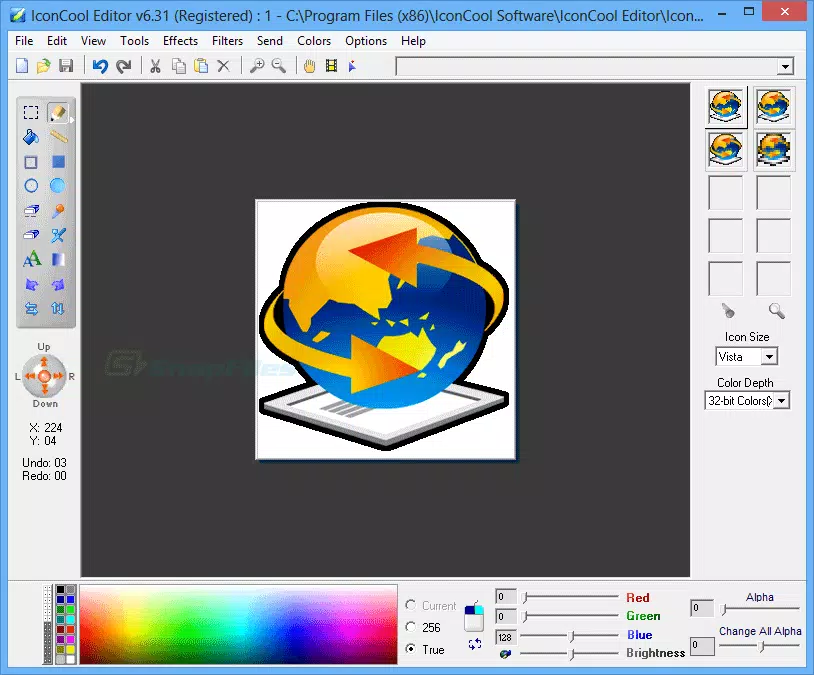
- Grid-Based Editing: The application displays icons as grids of pixels, enabling users to edit each pixel individually. This method ensures high precision in icon creation, particularly useful when designing small-scale graphics where every pixel contributes to the overall appearance.
- Preview and Editing Options: Users can preview icons in multiple standard sizes and color depths. This functionality allows for real-time assessment of how icons will appear in different system environments, such as taskbars, desktops, or application menus.
- Intuitive Color Palette: A user-friendly color palette is positioned at the bottom of the interface, allowing quick selection of foreground and background colors using left and right mouse clicks. This feature streamlines the coloring process and supports efficient workflow during design sessions.
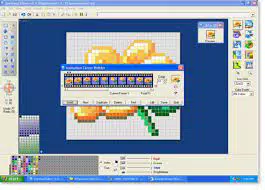
- Animated Icon Creation: The software supports the creation and editing of animated icons by managing multiple frames and setting individual frame durations. This enables users to design dynamic icons that respond to user interactions or system events.
- Buddy Icon Support for AIM: A distinctive feature allows users to export custom buddy icons directly to AOL Instant Messenger, enhancing personalization in real-time communication platforms.
For example, a user designing a retro game launcher might use the grid-based system to craft a pixel-art icon frame by frame, then animate it with a looping sequence. Another user could create a custom buddy icon with a subtle animation to reflect their mood, which is instantly shareable via AIM. These practical applications highlight the software’s versatility across creative and functional domains.
Interface, UX & Performance
IconCool Editor features a clean, colorful interface with a focus on visual clarity and workflow efficiency. The layout centers around a large grid workspace, with essential tools and controls arranged in a logical, accessible manner. Navigation is straightforward, relying primarily on mouse input, which aligns with the pixel-editing nature of the tool. Users can switch between editing modes, apply color selections, and manage frames with minimal clicks.
The visual style is consistent with classic desktop utilities—functional rather than flashy—prioritizing usability over aesthetic flair. Although the developer did not list formal performance metrics, the app’s small file size of 11.2 MB suggests it is lightweight and optimized for efficient operation on standard Windows machines. It is expected to load quickly and operate smoothly on devices with basic hardware specifications.
Responsiveness appears to be strong, as the interface updates in real time during editing tasks such as pixel placement or frame transitions. Stability is implied by the software’s long-standing presence in the utility space, though specific crash reports or error logs were not disclosed. Users can expect a consistent experience across different screen resolutions, though compatibility with high-DPI displays was not confirmed.
Platform Compatibility & Technical Requirements
IconCool Editor is designed exclusively for the Windows operating system. It is available in version 4.2 and has a file size of 11.2 MB, indicating a compact, lightweight installation. The developer did not specify minimum OS requirements, so users should ensure their system meets general Windows compatibility standards for desktop applications.
While the app is free to download and use, no information was provided about future update frequency, cloud integration, or cross-platform availability. It is unclear whether the software supports newer Windows versions beyond the current release cycle. Users are advised to verify system compatibility before installation, especially on updated or enterprise-grade configurations.
Given the lack of detailed technical specifications, the app’s performance on older or low-resource devices remains unverified. However, its small footprint suggests broad accessibility across a range of Windows-based systems, including those with limited storage or processing power.
Pros and Cons
Pros
- Free to download and use, making it accessible to all users.
- Grid-based pixel editing enables precise icon design.
- Supports animated icons with customizable frame timing.
- Intuitive color palette simplifies color selection during editing.
- Direct buddy icon export for AOL Instant Messenger.
- Lightweight design with minimal system resource usage.
Cons
- The developer did not provide detailed system requirements.
- It is unclear if multiple images can be opened simultaneously.
- Users cannot close individual images without exiting the program.
- Compatibility with high-DPI displays was not confirmed.
- No information on update frequency or future development plans.
FAQ
Is IconCool Editor safe to download and install?
Yes, the software is free and available from official sources. As with any downloaded application, users should ensure they obtain it from trusted platforms to avoid potential risks.
Can I use IconCool Editor on Windows 10 or Windows 11?
While the developer did not specify exact OS compatibility, the app is designed for Windows and is expected to function on modern Windows versions, including Windows 10 and Windows 11.
Does IconCool Editor support animated icons?
Yes, the software allows users to create and edit animated icons by managing multiple frames and setting individual frame durations.
Is there a mobile version of IconCool Editor?
There is no indication that a mobile version exists. The application is currently designed for desktop use on Windows systems.
How do I update IconCool Editor?
Specific update mechanisms were not disclosed. Users should check the official website for the latest version and manual download instructions.
Final Thoughts
IconCool Editor stands out as a reliable, free tool for anyone involved in icon creation or customization on Windows. Its grid-based editing system, support for animated icons, and intuitive color controls make it a strong choice for both beginners and experienced designers. While some limitations exist—such as the inability to close individual files without exiting the app—the overall functionality and ease of use outweigh these drawbacks.
Users who value precision, creativity, and personalization will find this software particularly beneficial. Whether you're designing a custom desktop icon, crafting a pixel-art theme, or sharing a unique buddy icon with friends, IconCool Editor delivers practical value without cost.
Download IconCool Editor now


